


PlayMag Music Box
PlayMag Music Box
Couldn't load pickup availability

PlayMag Music Box

I honestly didn't expect it to be this good. The craftsmanship is incredible, and it's one of the most thoughtful gifts I've ever bought. Couldn't be happier with it!
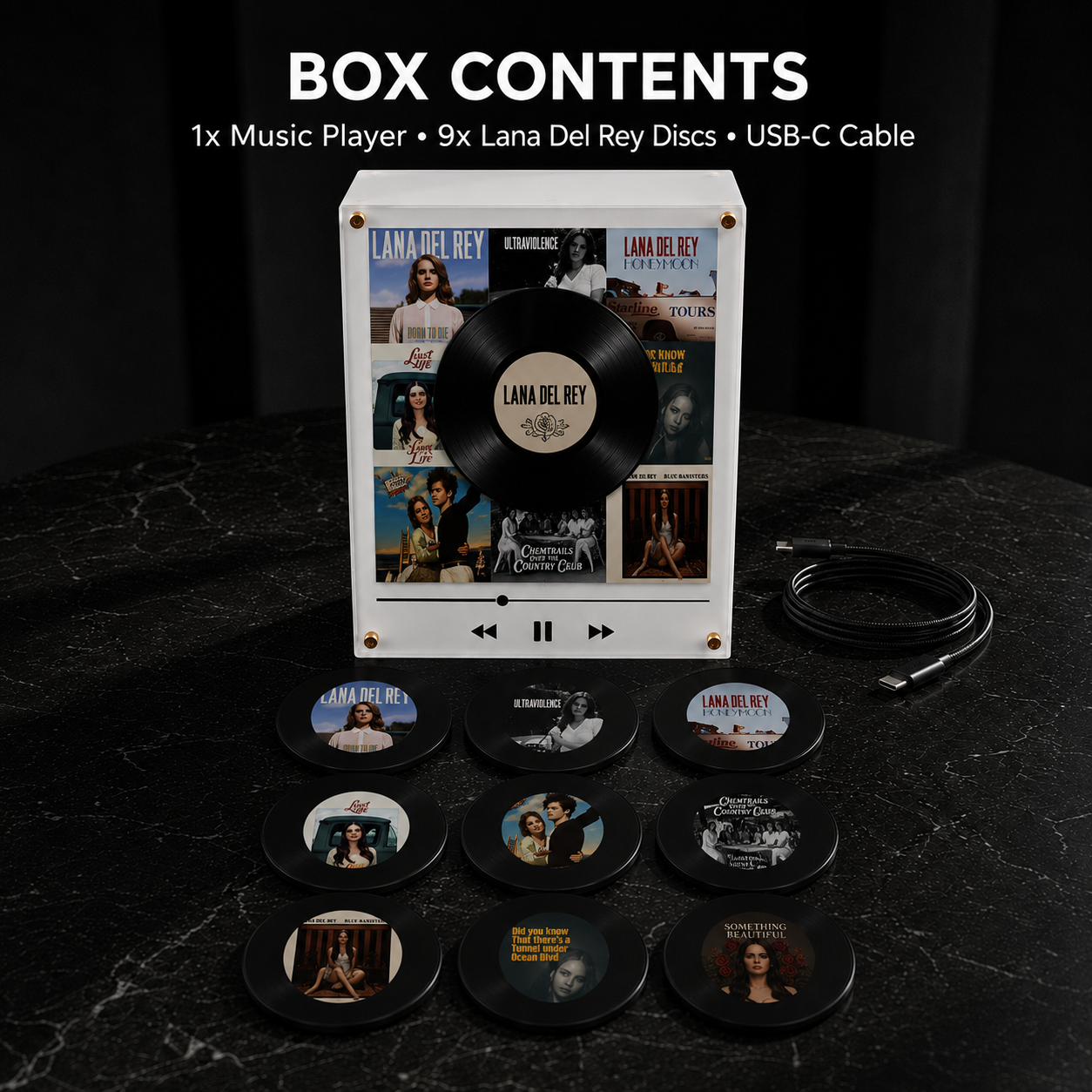
What's in the Box
What's in the Box
1× MagneTune Music Box
9× Bonus vinyl discs (included free)
9× Numbered NFC tags
1× USB-C charging cable
90-Day Money-Back Guarantee
90-Day Money-Back Guarantee
If your order arrives damaged or you're not completely satisfied, you can return it within 90 days. Return shipping costs are the responsibility of the customer.
Fast & Tracked Shipping
Fast & Tracked Shipping
Orders are typically processed within 2–3 business days. Estimated delivery is 4–7 business days, depending on your location.


FREE GIFTS🎁
10TH JULY SALE 🎉
FREE SHIPPING 📦
FREE GIFTS🎁
10TH JULY SALE 🎉
FREE SHIPPING 📦
FREE GIFTS🎁
10TH JULY SALE 🎉
FREE SHIPPING 📦
FREE GIFTS🎁
10TH JULY SALE 🎉
FREE SHIPPING 📦
FREE GIFTS🎁
10TH JULY SALE 🎉
FREE SHIPPING 📦
FREE GIFTS🎁
10TH JULY SALE 🎉
FREE SHIPPING 📦
FREE GIFTS🎁
10TH JULY SALE 🎉
FREE SHIPPING 📦
FREE GIFTS🎁
10TH JULY SALE 🎉
FREE SHIPPING 📦
FREE GIFTS🎁
10TH JULY SALE 🎉
FREE SHIPPING 📦
FREE GIFTS🎁
10TH JULY SALE 🎉
FREE SHIPPING 📦
FREE GIFTS🎁
10TH JULY SALE 🎉
FREE SHIPPING 📦
FREE GIFTS🎁
10TH JULY SALE 🎉
FREE SHIPPING 📦
What do our customers think?
-

Worth Every Penny
"Gave one to my girlfriend with our nine most important songs on it. She cried. Now it's hanging above her bed."
-

Sounds Incredible
"I was worried about the sound quality because it's so small but it actually fills the room. Got the MJ pack and when Thriller came on through it I was genuinely shocked. Set up took maybe 10 minutes. No app, no subscription, just plug in, drag the MP3s in and you're done."
-

Plug In and Play
"Setup with the cable was easy. I love that there's no app and everything plays offline. Finally, no extra account login."


How To Set Up?
From box to playing — in four steps.

Everything you need to know.
How long can I use it on a single charge?
How long can I use it on a single charge?
A full battery provides up to 8 hours of playback. Recharging with the included USB-C cable takes around 2 hours.
Can I add more than 9 songs?
Can I add more than 9 songs?
Yes. Every disc can be updated whenever you want, so you can swap songs as often as needed. If you'd like a bigger collection, extra disc packs are available separately.
Is it compatible with both Mac and PC?
Is it compatible with both Mac and PC?
Absolutely. Once connected via USB-C, the box appears as an external drive with 9 folders. There's nothing to install—just drag and drop your files.
How do the NFC chips work?
How do the NFC chips work?
You'll receive 9 numbered NFC chips. Simply attach each one to the back of a disc. The number matches its folder on your computer, and the chip's exact position on the disc doesn't matter.
What audio files can I use?
What audio files can I use?
The device supports MP3 files only. Formats like WAV, FLAC, or M4A aren't compatible. If needed, you can easily convert them to MP3 using free online tools such as CloudConvert.
Can I replace a song later?
Can I replace a song later?
Of course. Connect the box to your computer, open the correct folder, remove the old MP3, and copy in the new one. The whole process takes less than a minute.
Do I need Spotify or another music subscription?
Do I need Spotify or another music subscription?
No subscription is required. Everything works completely offline after you've copied your MP3 files to the box. No internet, no app, and no monthly fees—your music stays yours.